You can easily customize the pages displayed in your website’s main navigation menu.
These steps also apply to adding hidden pages to the menu.
Steps:
- In your WordPress dashboard, go to Appearance → Menus.
- 2Under Select a menu to edit, choose the desired menu from the dropdown list.
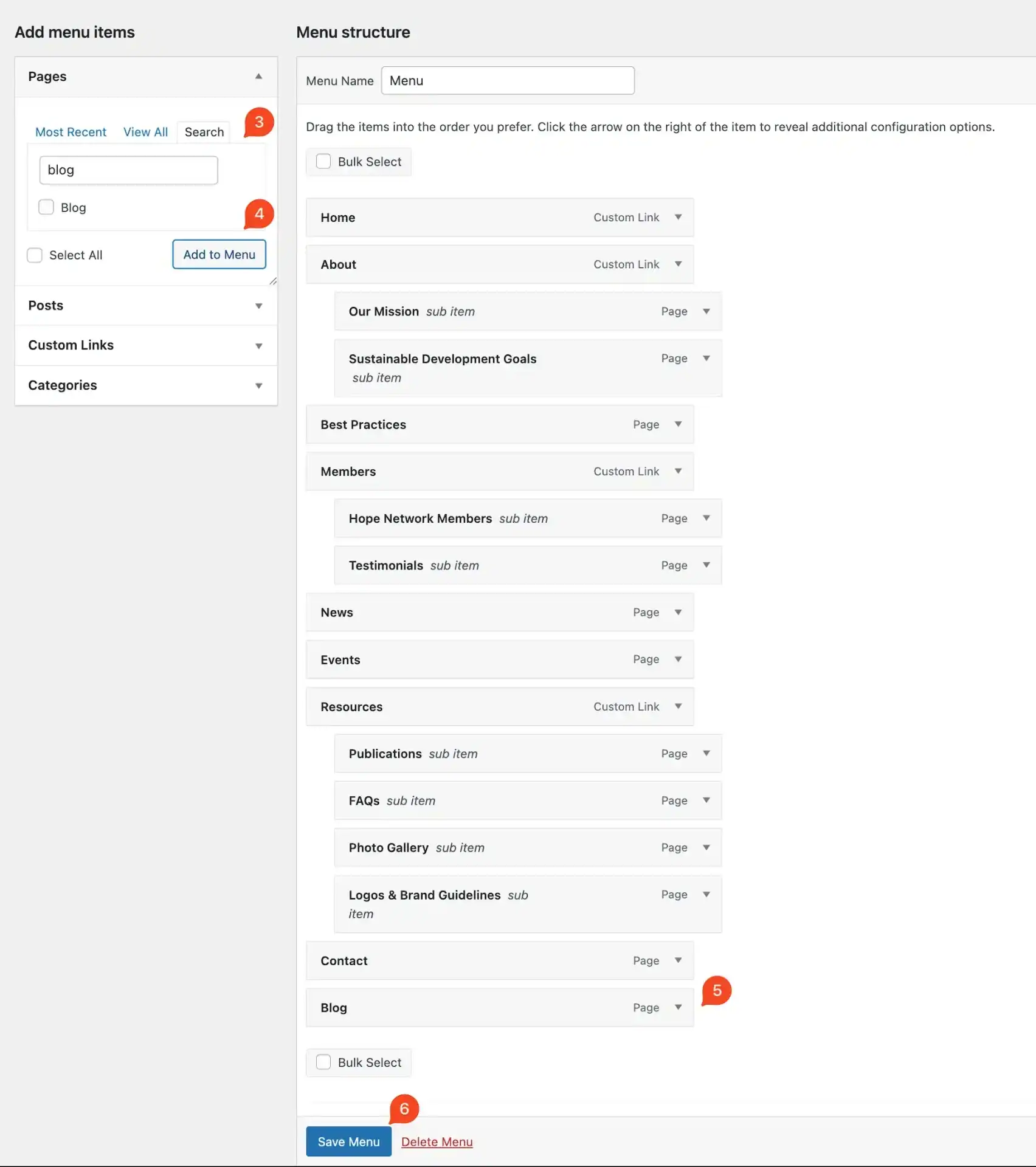
3. In the Add menu items panel, search for the page you want to include.
4. Click Add to Menu.
5. The new page will appear at the bottom of the menu structure. Drag and drop it to the desired position.
6. Once you’re done, click Save Menu to apply your changes.