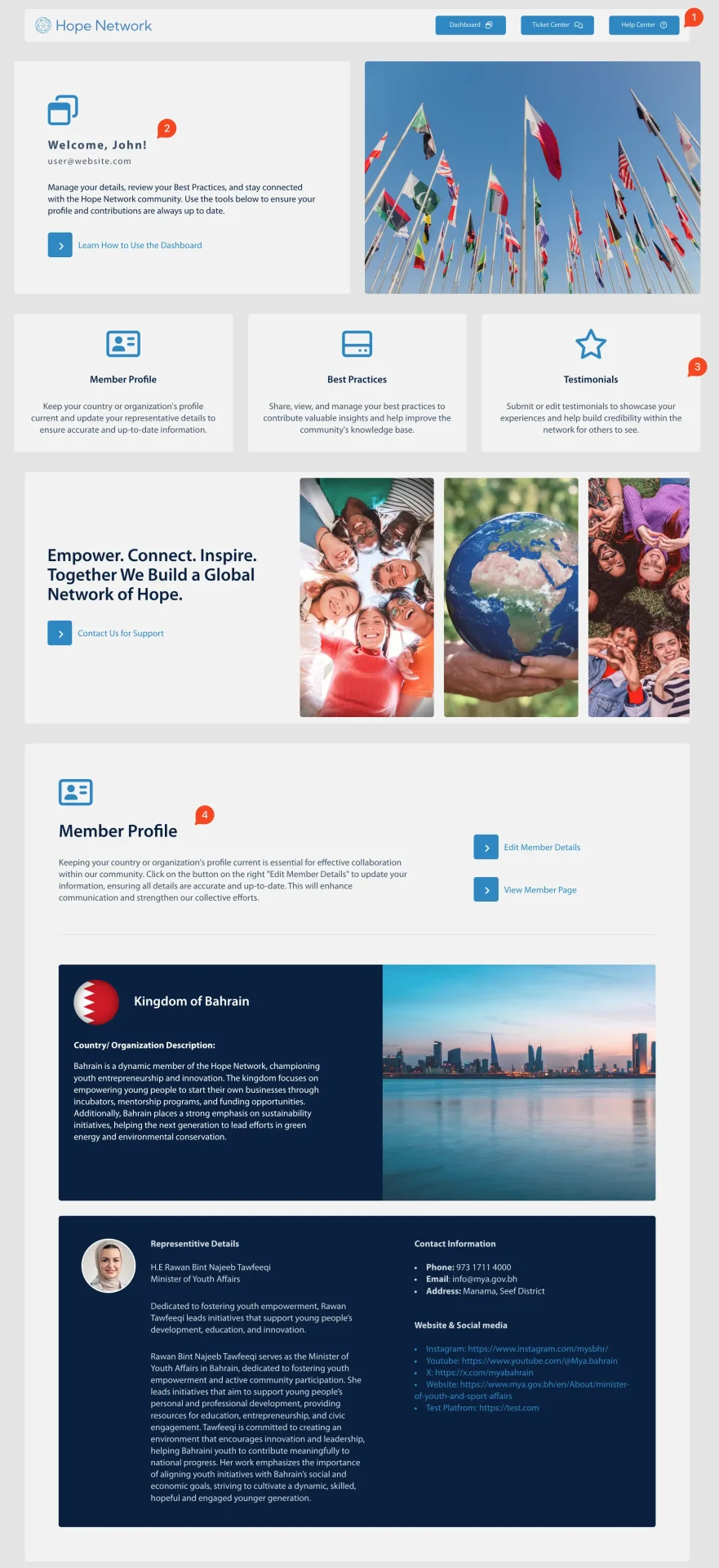
Welcome to the Member Dashboard! This page is your main hub for managing your profile, best practices, testimonials, and support tickets. Below is an overview of the layout and key features you’ll find here:
1. Header:
- Quick links to the Dashboard, Ticket Center, and Help Center.
- Accessible from every page, so you can easily switch between managing your content and seeking assistance.
2. Welcome Message:
- A friendly greeting that introduces you to the site’s main features.
- Includes a link to the Help Center, where you can find more detailed instructions and resources.
3. Quick Links:
- Three shortcut buttons that help you jump directly to sections on this same page:
- Member Profile (update your country/organization information and representative details)
- Best Practices (add or edit your best practices)
- Testimonials (manage your testimonials)
4. Member Profile Section:
- Displays essential information about your country or organization.
- Also includes the representative’s contact details.
- You can edit or update these fields to keep your profile accurate and up to date.
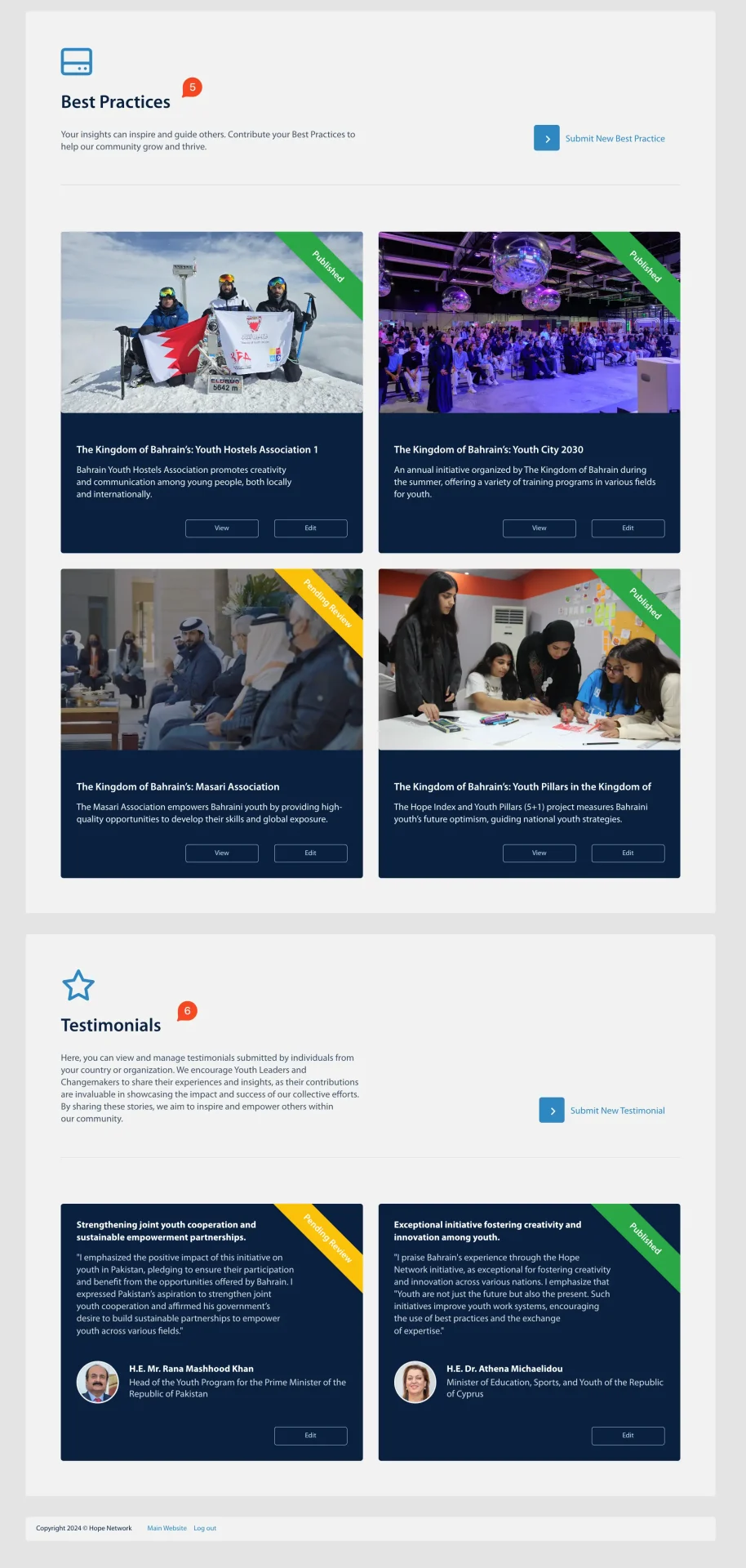
5. Best Practices Section:
- A dedicated area to showcase or update your organizational best practices.
- Share insights, case studies, or success stories with the community.
6. Testimonials Section:
- A space for sharing and managing testimonials related to your experiences or services.
- Easily edit, add, or remove content as needed.
Note: Take a moment to review the Dashboard layout. Once you’re familiar with these sections, you can move on to the rest of the documentation (Member Profile, Best Practices, Testimonials, and Ticket Center) for more specific instructions.