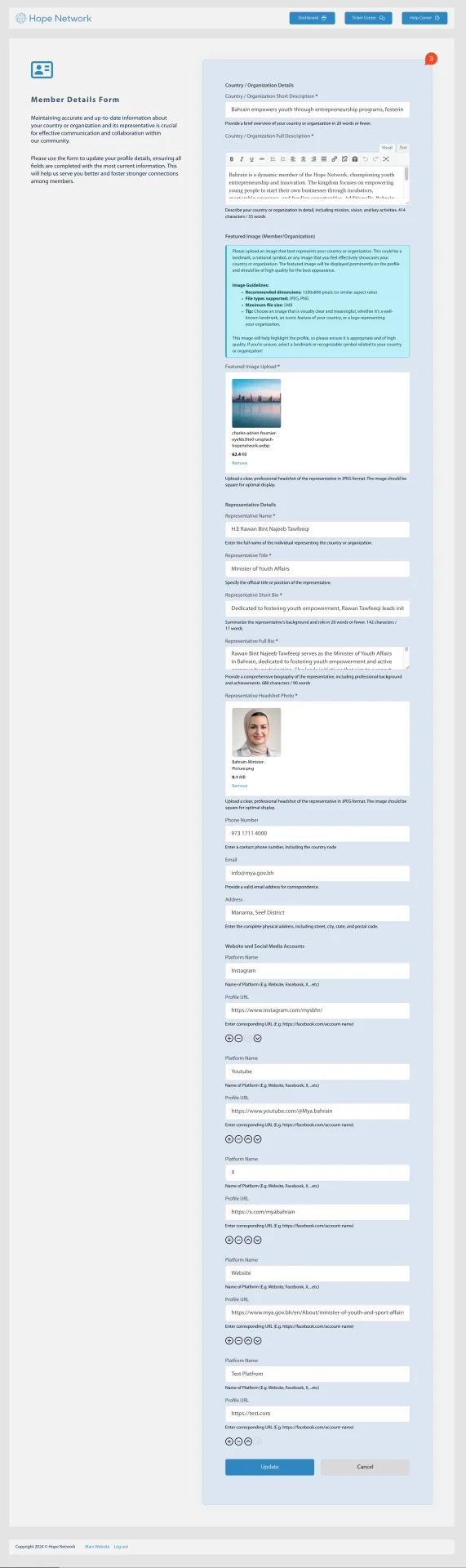
This section covers how to view and update your Member Profile details, including organizational or country-specific information and your representative details.
1. Edit Member Profile
- Button: “Edit Member Profile”
Click this button to open the member profile form and make any necessary changes or additions to your existing details.
2. View Member Page
- Button: “View Member Page”
After updating your profile, use this button to see how your information appears publicly.
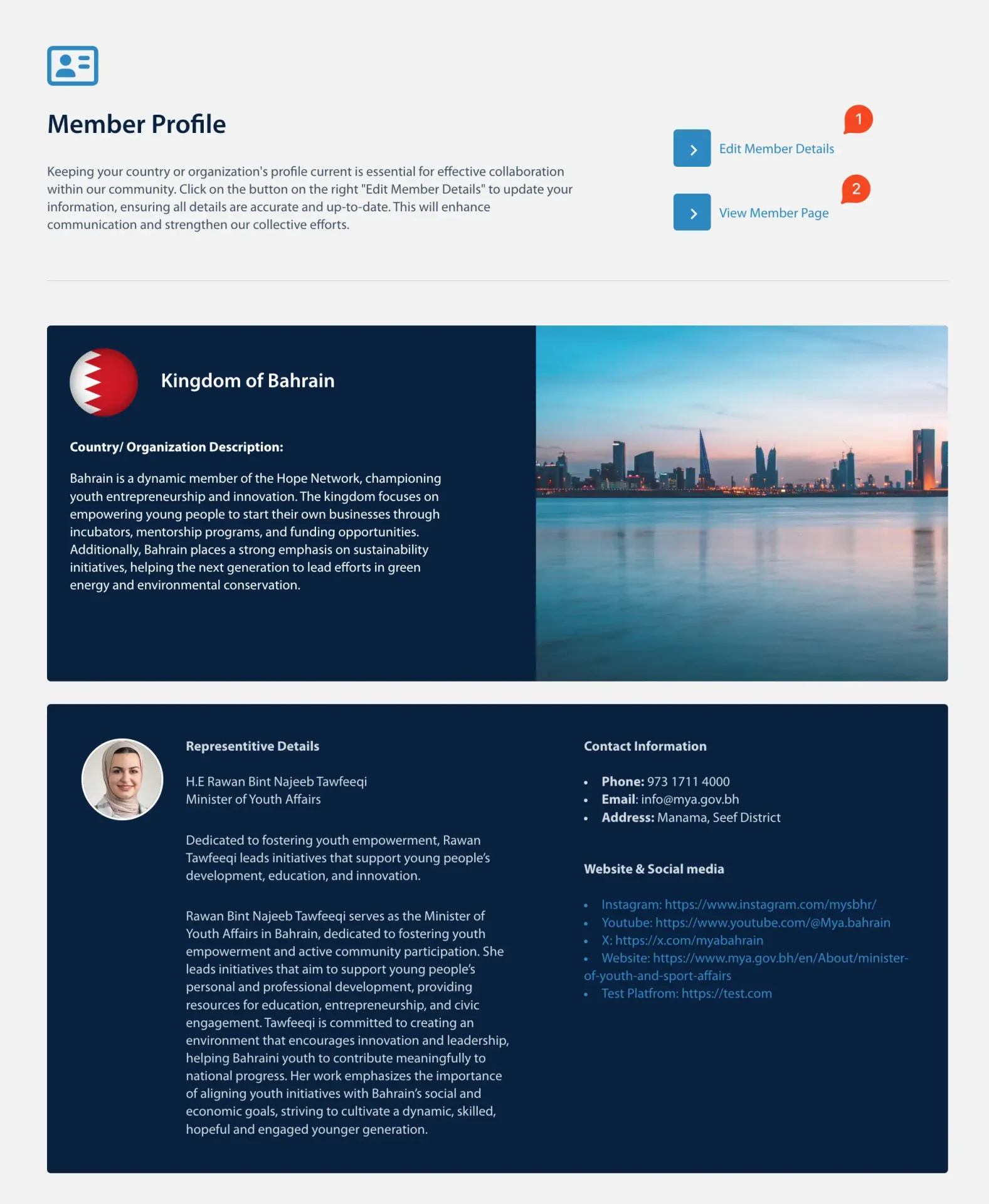
3. Member Details Form
- In the Member Details Form, you can:
- Add any missing information — Complete all relevant fields such as organization name, address, contact details, etc.
- Follow the help text — Under certain fields, you’ll find short hints or instructions that clarify what data to enter.
- Click “Update” — Once all fields are filled or corrected, click Update to save your changes.